Listings go in. Leads come out.
Lead Machine runs Meta ads and Google ads for your listings. It builds the ad, the landing page and the lead form. Every lead goes into your CRM with an agent assigned. You set the budget. It does the rest.
Runs in your own Meta and Google ad accounts. Nothing spends until you press start.
Six frames
2 bedroom apartments in Dubai Marina from AED 1.9M. 60/40 payment plan, handover Q4 2027. Send a message and we send you the brochure and the floor plans.
Created in your own Meta ad account. It starts paused. You press start.
A Meta ad built from one listing. The photo, the price and the payment plan come from the listing.
A lead at 3am has an agent at 3am.
Ads run all night. When a lead arrives, the CRM assigns the agent and sets the call-back time. The agent calls in the morning. The lead is still warm.
Four screens, working
Your listings
Projects, units, prices and payment plans. Each listing is scored before it can take a budget.
The landing page
One page per listing, built from the listing, in English, Arabic and Russian.
The audience
Who the ad goes to, narrowed by language and behaviour. Never by nationality.
The spend rule
The daily budget and the cost per lead you accept. With no rule, it moves no money on its own.
The parts
Facebook and Instagram ads, built from your listing.
Lead Machine takes the photo, the price and the payment plan from the listing and writes the ad. The ad is written in English, Arabic and Russian. The campaign is created in your own Meta ad account. It starts paused. You read the ad, then you press start.
Meta for Realtors2 bedroom apartments in Dubai Marina from AED 1.9M. 60/40 payment plan, handover Q4 2027. Send a message and we send you the brochure and the floor plans.
Created in your own Meta ad account. It starts paused. You press start.
Google Search ads for the searches buyers type.
Someone searches for a 2 bedroom apartment in Dubai Marina. Your listing is the ad they see. The keywords come from the listing: the project name, the area, the developer, the payment plan, the handover year. Searches for rent, jobs and competitors’ names are blocked from day one. A search that gets clicks and no leads gets blocked too. You see every search that showed your ad, what it cost and what it brought.
Google Lead MachineOne landing page per listing.
The page shows the photos, the price, the payment plan and the floor plans from the listing. It comes in English, Arabic and Russian. The form on the page sends the lead straight into the CRM. A page with no price cannot run an ad.
Landing PagesA form that asks what a salesperson asks.
The form asks for the budget, the area and when they want to buy. On Meta it is an instant form inside the ad. On the landing page it is Leadformer, a form that talks with the buyer instead of showing fields. Both send the lead to the same CRM.
LeadformerEvery lead has an agent within a minute.
The lead lands in the CRM with the ad it clicked, the listing it asked about and the language it wrote in. An agent is assigned by rule. The agent gets a call-back time. A lead nobody called goes back to the top of the list. Nobody can delete a lead.
How leads flowAssigned by the rule you wrote, tagged by language, due on the clock — the person answers.
You write the rule once. It runs every time.
A lead with a budget over AED 5M goes to the senior agent. A lead from the Marina Vista page goes to the agent who sells Marina Vista. A lead nobody contacted in 24 hours goes to the manager. Five triggers, nine actions, no code.
You set the daily budget and the cost per lead.
Lead Machine puts more money on the ads that hit your cost per lead. It pauses the ads that miss it. It never spends more than the daily budget. Without a rule it spends nothing on its own.
Spend rulesEvery budget move is logged.
What it did, why, when, how much and on which campaign. In plain words. Nobody can edit the log.
budget +AED 150 → Marina Vista video — rule: cost/lead < AED 90
budget −AED 150 → Creekside One carousel — cost/lead AED 212, over rule
paused → Harbor Gate launch — daily budget reached
Bayview Terraces checked — inside its rule, no change
What you spent and what you got, every month.
Spend on Meta. Spend on Google. Leads, cost per lead, deals and commission. By listing, by campaign, by agent. Judged against the cost per lead you set.
ReportsFour screens, full size
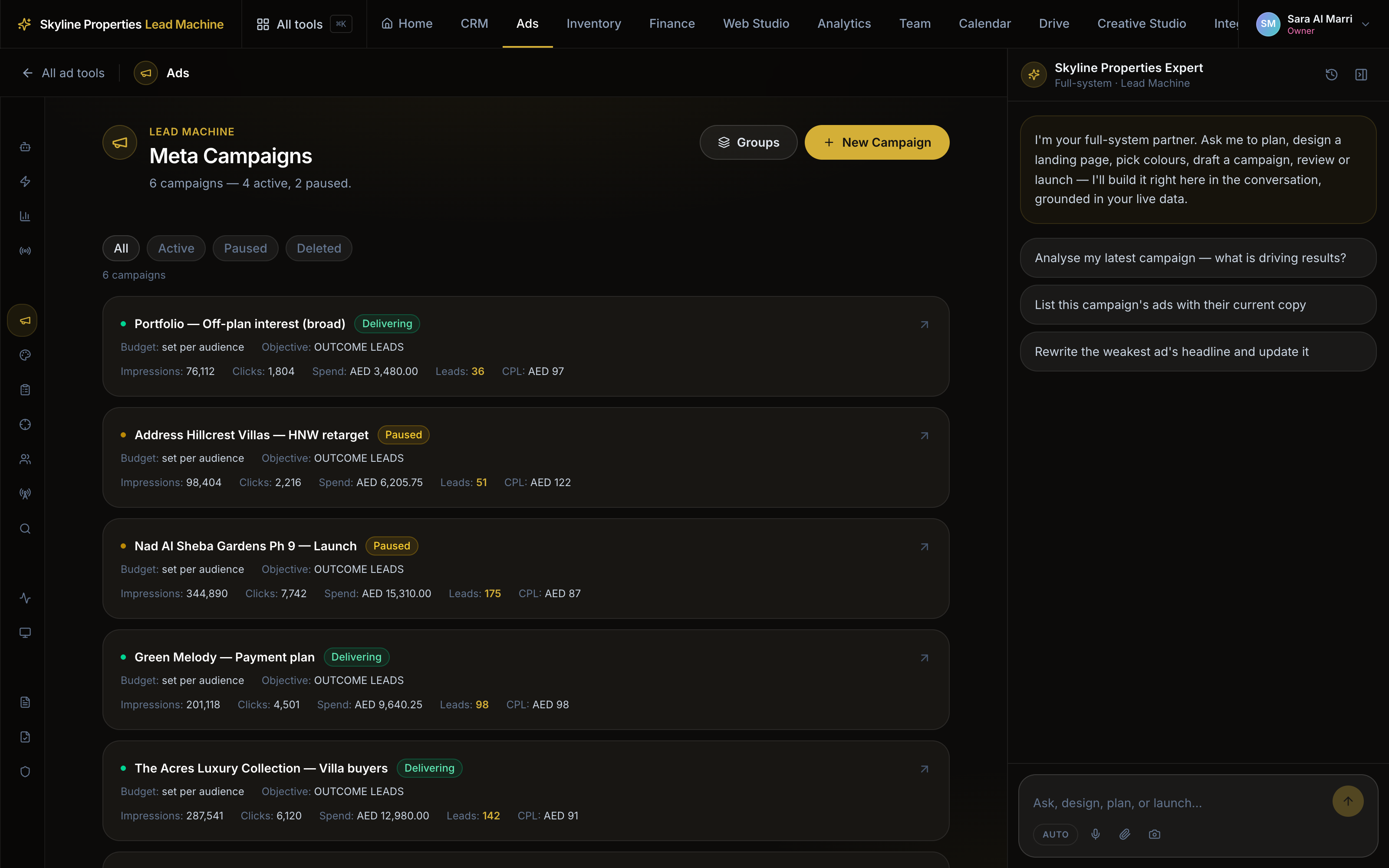
Campaigns
Every campaign on Meta and Google in one list, with what each one spent and brought.
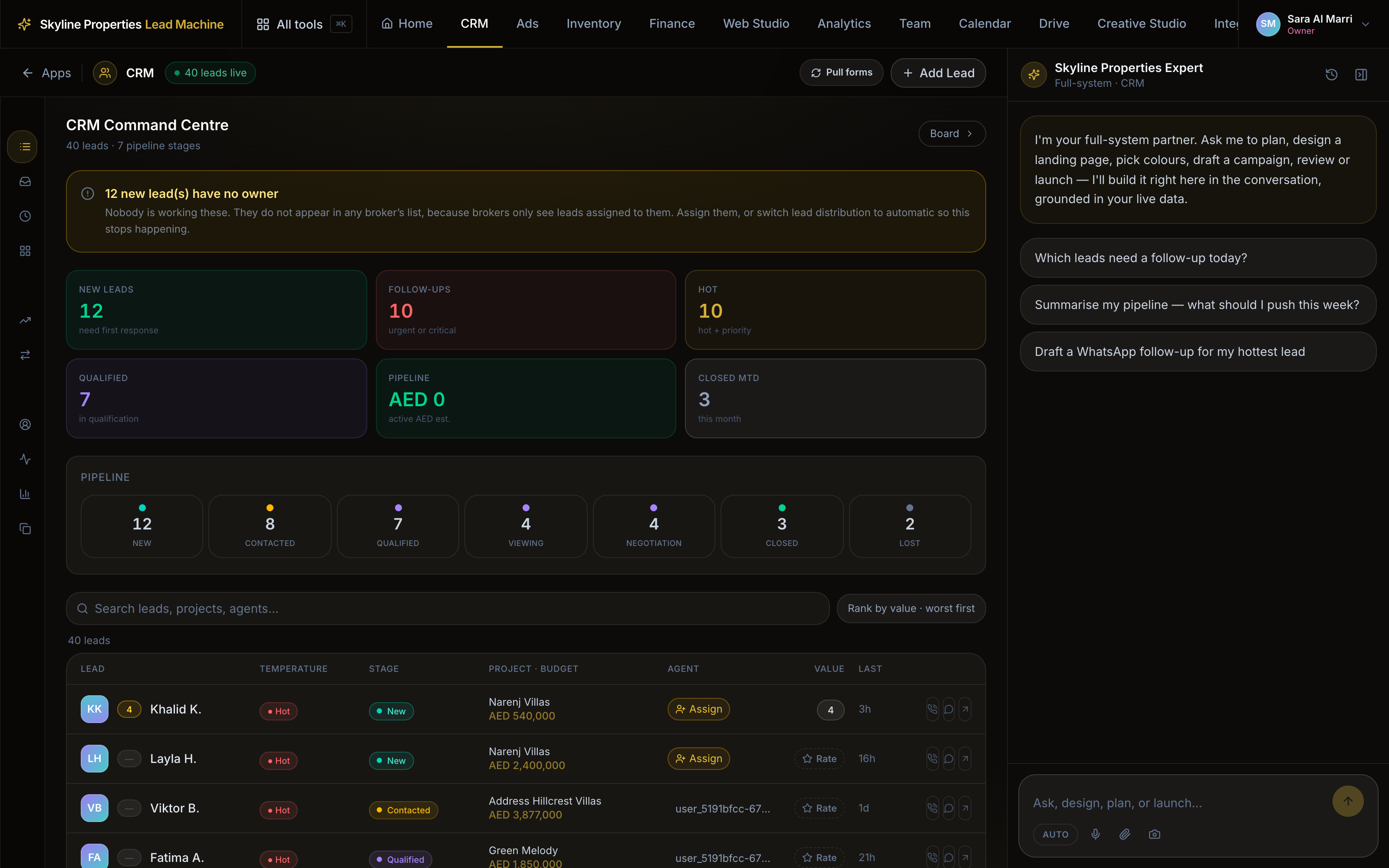
Leads
Each lead with the ad it clicked, the listing it asked about, the language it wrote in and the agent it went to.
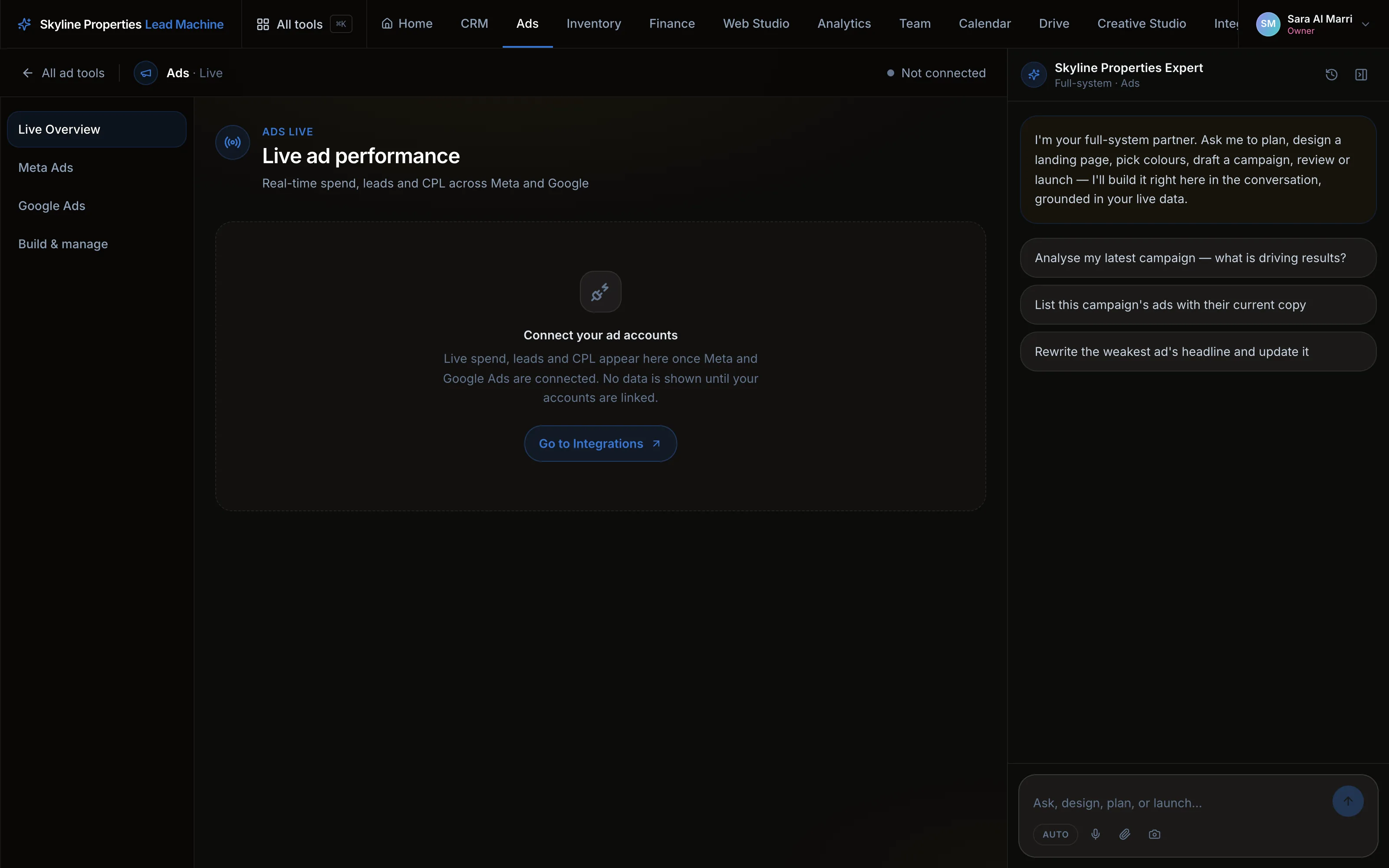
Live
What the ads are doing today: spend, leads and cost per lead, while it is still today.
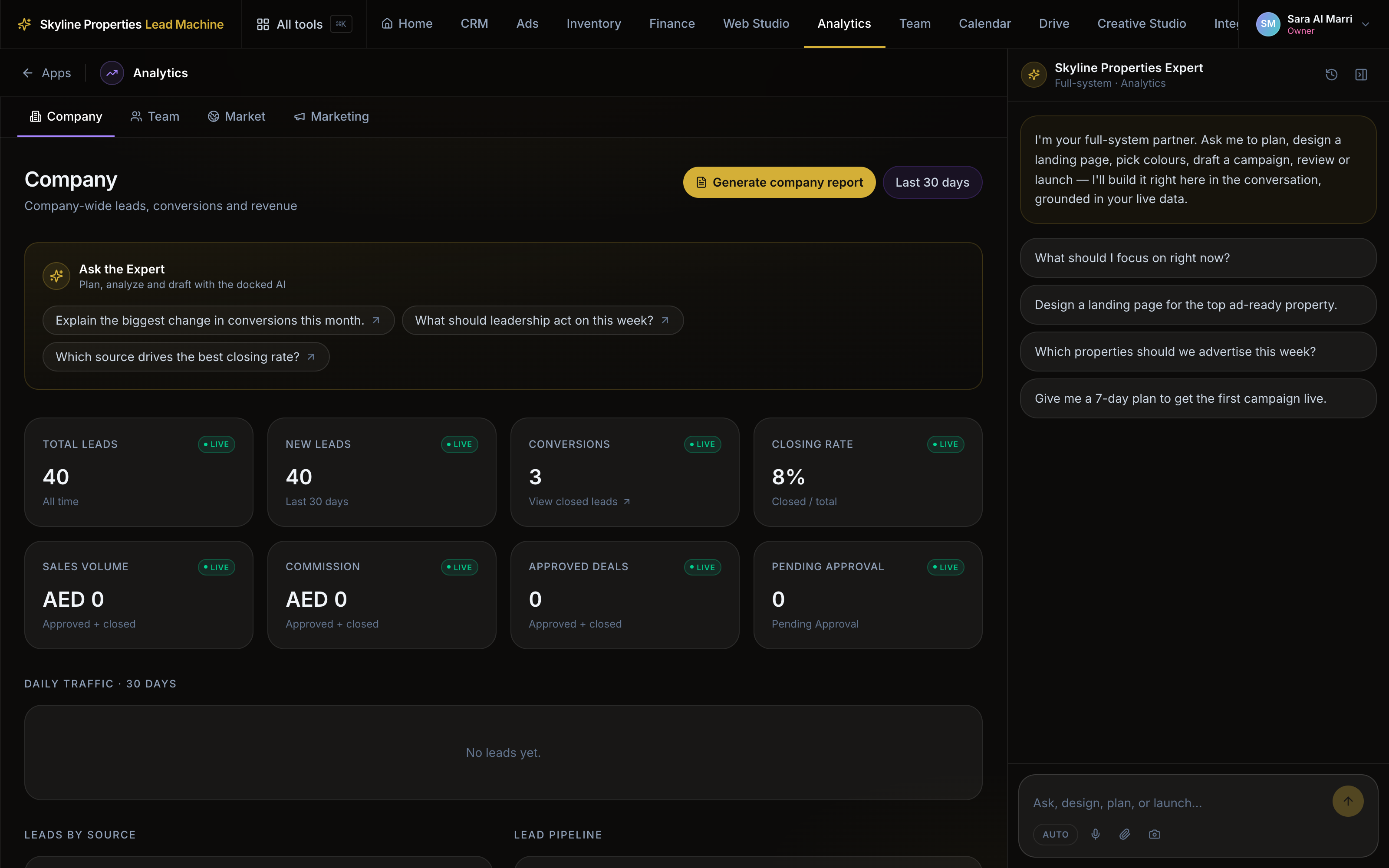
The report
Spend, leads, cost per lead, deals and commission — by listing, by campaign and by agent.
The walkthrough
Setup
- 01
Connect your ad accounts
Your Meta ad account, your Facebook Page and pixel, and your Google Ads account. The spend runs in your accounts, not ours. - 02
Upload your listings
Projects, units, prices, payment plans and photos. Each listing gets an ad-readiness score. - 03
Set the spend rule
The daily budget and the cost per lead you accept. - 04
Press start
The first campaign is built paused in your account. Read the ad. Press start. - 05
Work the leads
They arrive in the CRM with an agent and a call-back time. The report shows what each ad brought.
- One page: the loop, the products, the guardrails.
- Open it where you already think, and ask it anything.
Your public site and the desk behind it — one catalogue, a page per project, ads and CRM.
Runs on credit. You pay when it works. See what it costs