Pick a listing. Get a landing page.
The landing page is built from the listing: photos, price, payment plan, floor plans. It comes in English, Arabic and Russian on one address. The form on the page sends the lead into your CRM, tagged with the page it came from.
Included with Lead Machine. Pages run on your own domain.
One landing page per listing, and how ad-ready each one is.
Every listing, and whether it has a page.
Live, pending, draft or missing. One screen shows all four. A listing with no page is counted, not skipped.
Landing pages guide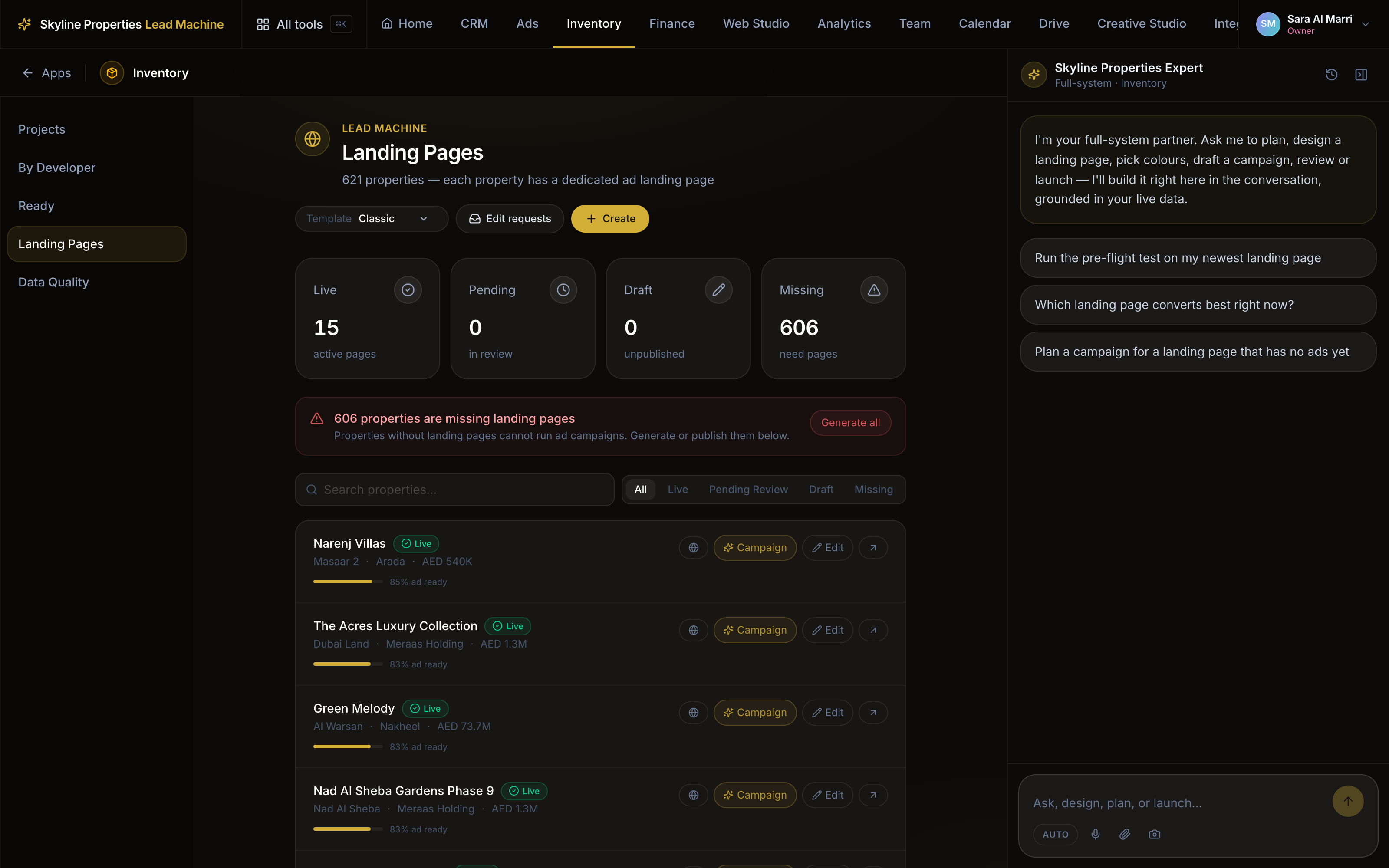
The page is built from the listing.
Photos, price, area, developer and payment plan come from the listing record. Nothing is typed twice.
Inventory guide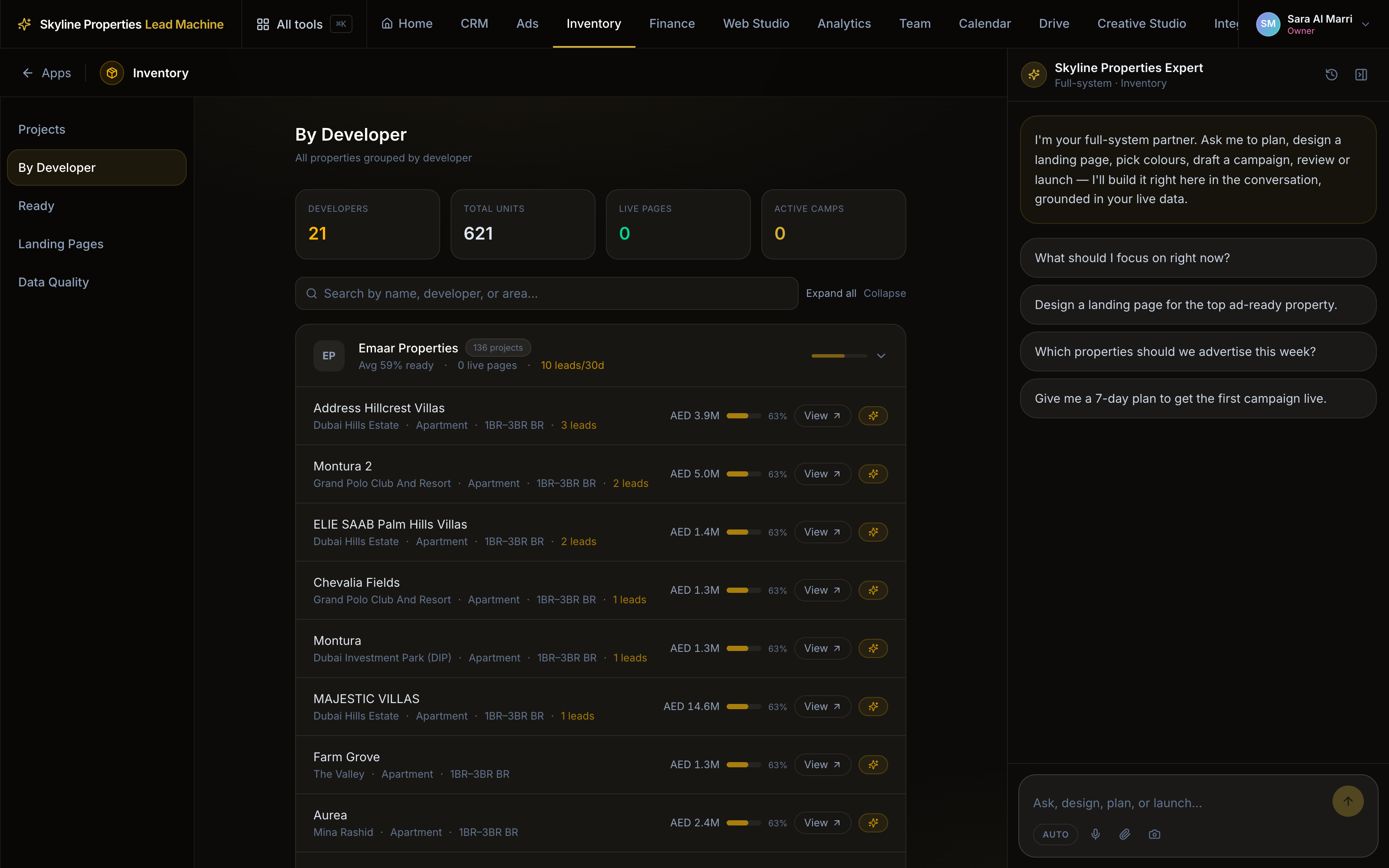
The form sends the lead to the CRM.
A submitted form becomes a lead with an agent assigned, tagged with the page it came from. Nothing is retyped.
How leads flow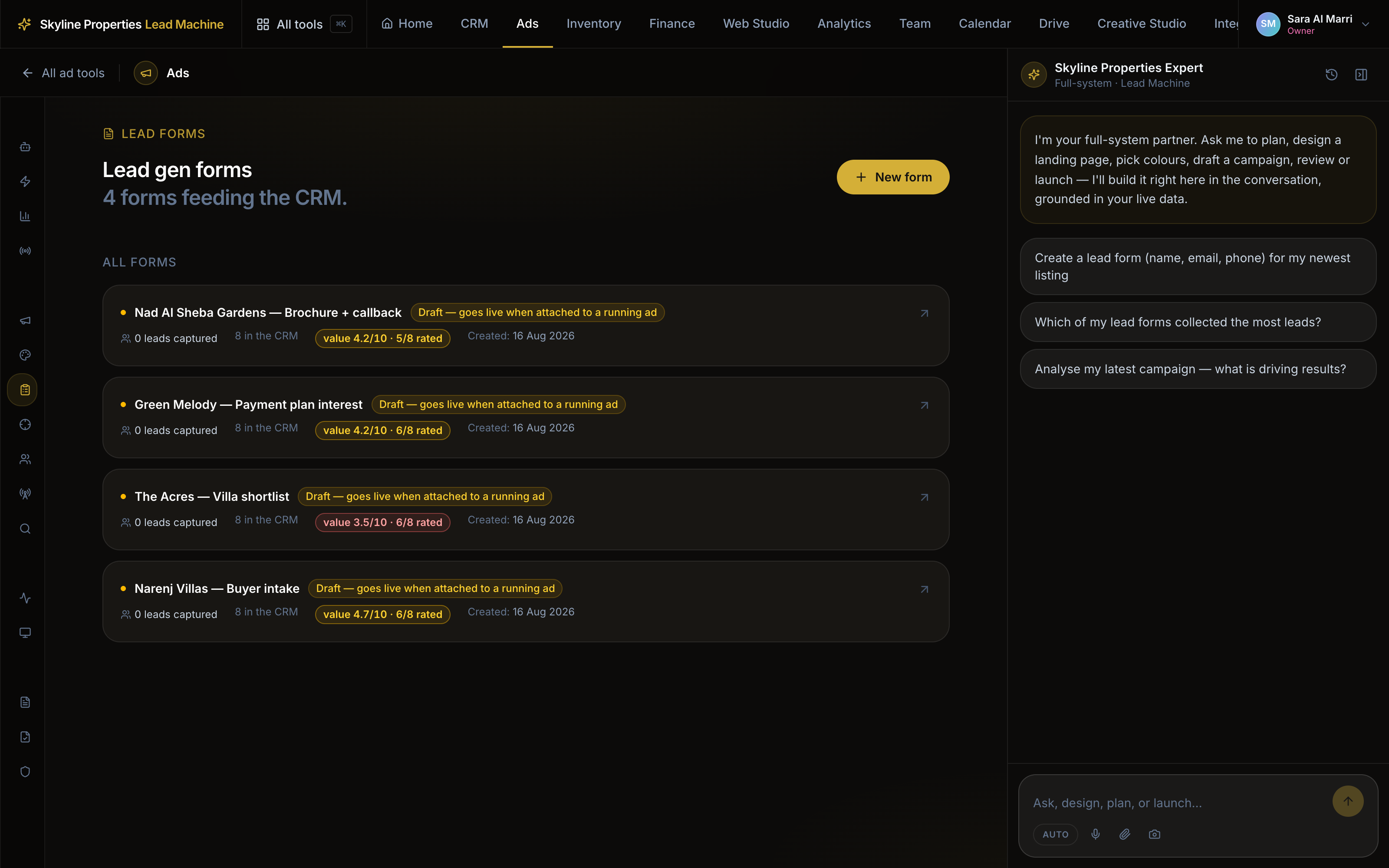
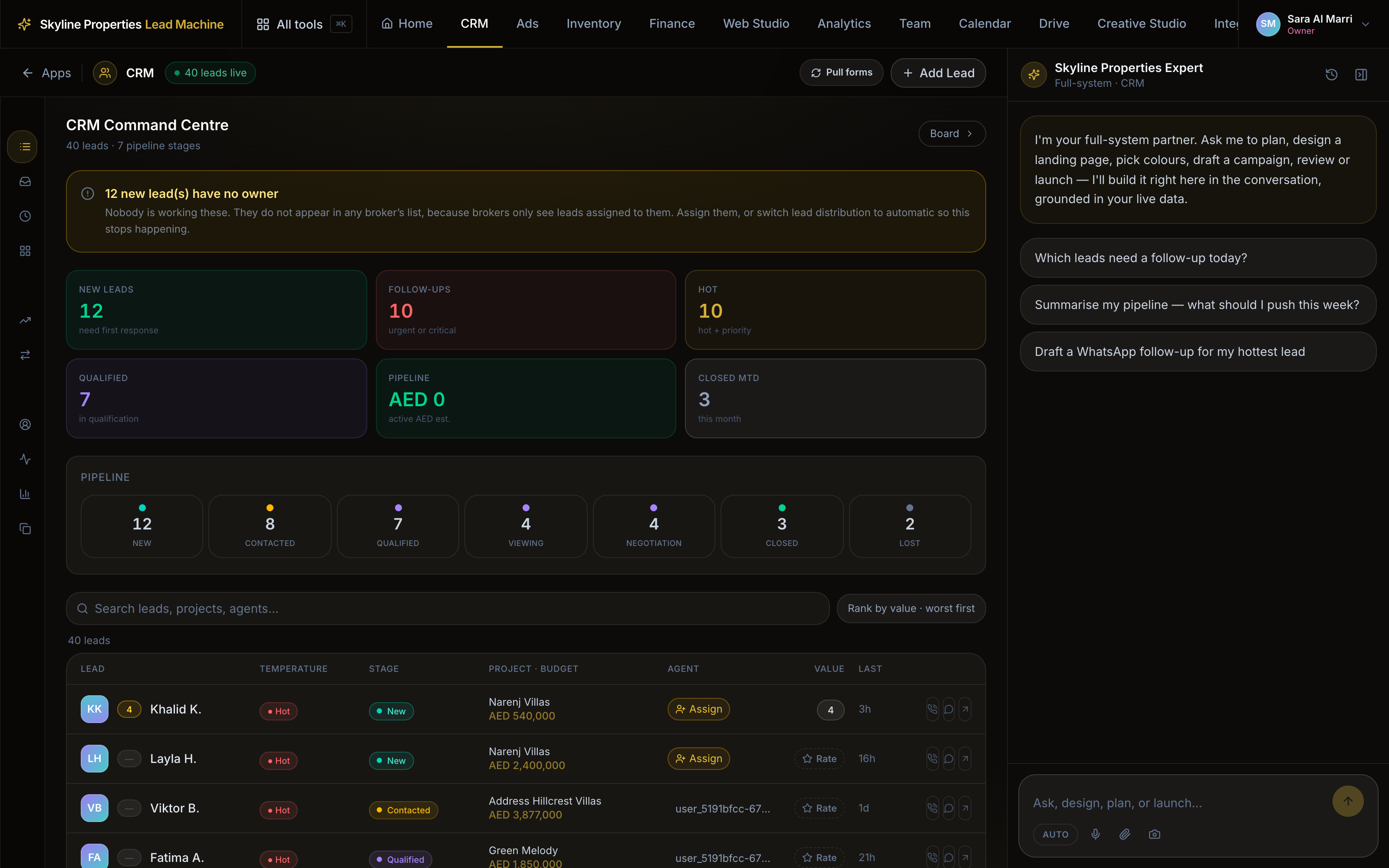
The lead sits next to the listing it asked about.
With a name, a language, a stage and a call-back time from the first minute.
Three templates
Every template is built from the same nineteen blocks. A new layout is a new order of them, not a new page to maintain.
Classic
Market read, key facts, ROI, amenities, FAQ, brochure. For a buyer who wants the detail.
Campaign
The form under the hero and again at the end. Point cold Meta traffic here.
Signature
Visuals and amenities first, Golden Visa after. For waterfront and branded launches.
Publishing needs a manager’s approval.
No payment plan on file, none on the page. A section with no data hides itself.
Missing or unpublished, the launch stops before the money.
Three steps
- 01Pick the listing
Any row in your inventory. Its photos, price and payment plan are already there.
- 02Choose a template
Classic for depth, Campaign for cold traffic, Signature for a launch.
- 03Publish, then point the ads at it
A manager approves the page. Every lead comes back tagged with the page it came from.
A full system for professional Meta lead ads — our off-plan inventory, your budget, a few clicks.
Runs on credit. You pay when it works. See what it costs