01
Listing
Each listing is scored before it can carry an ad budget.
Ad readiness out of 100 · ad-ready starts at 70
A public website carrying every project you sell, on your own domain. Behind it, the system that runs the company: the catalogue, a page per project, Meta and Google ads, the CRM and the finance. One company login.
Setup on request, with our team. Built for large-scale operators — your domain, your database, your brand.
Ten sections, three languages, one click. Edit any of it from the chat.
A whole project website, on your own address.
A whole project website on your own domain, next to nobody else’s listing. Built from the project record in one click.
See how a page is builtTen sections, three languages, one click. Edit any of it from the chat.
Grouped by developer. Each project carries how ready its stock is to advertise.
See stock and scores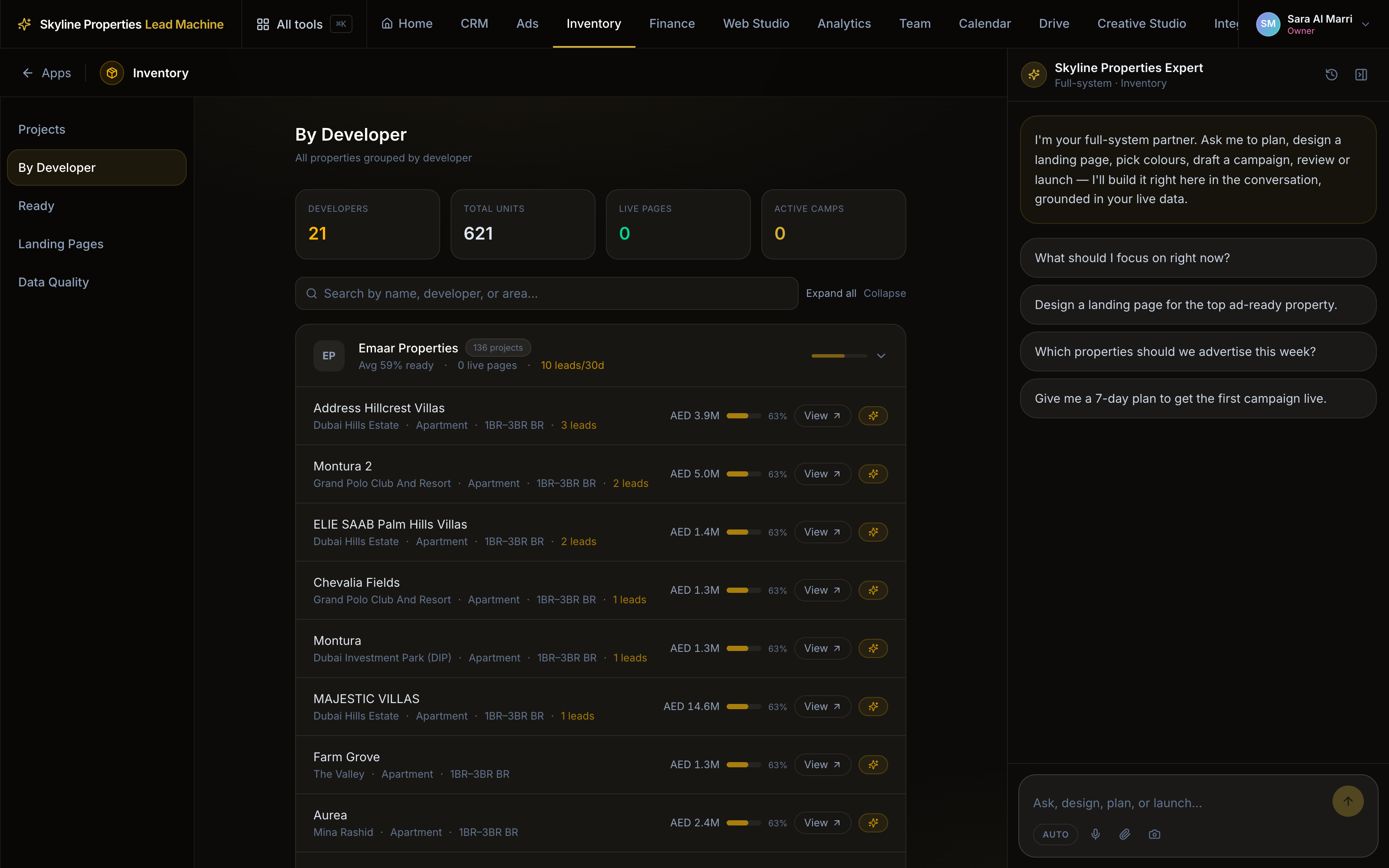
Live, pending, draft or missing. The projects with no page are counted, not hidden.
See the Landing Pages product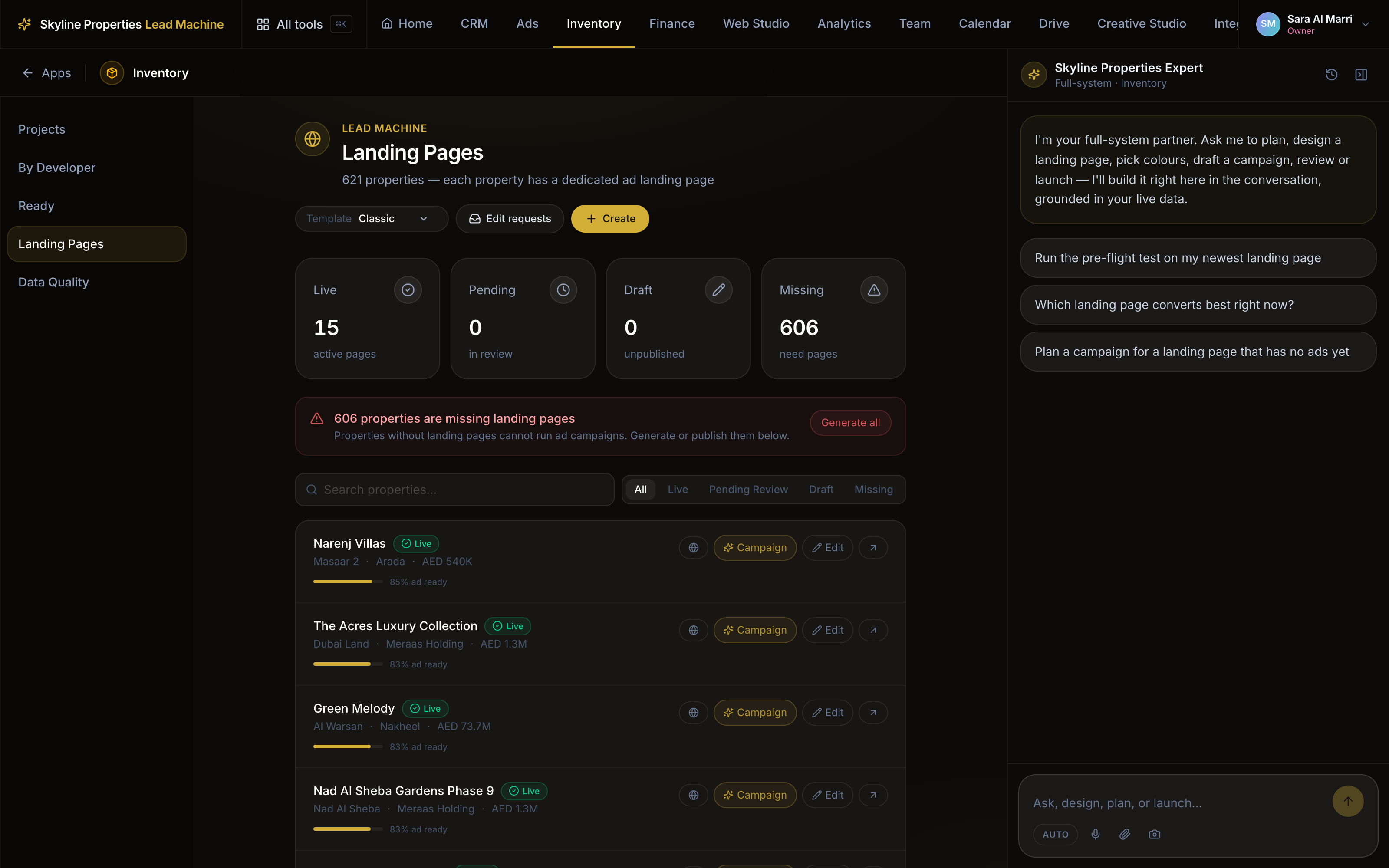
Every form on the site writes into the CRM, tagged with the page and the ad behind it.
See how leads flow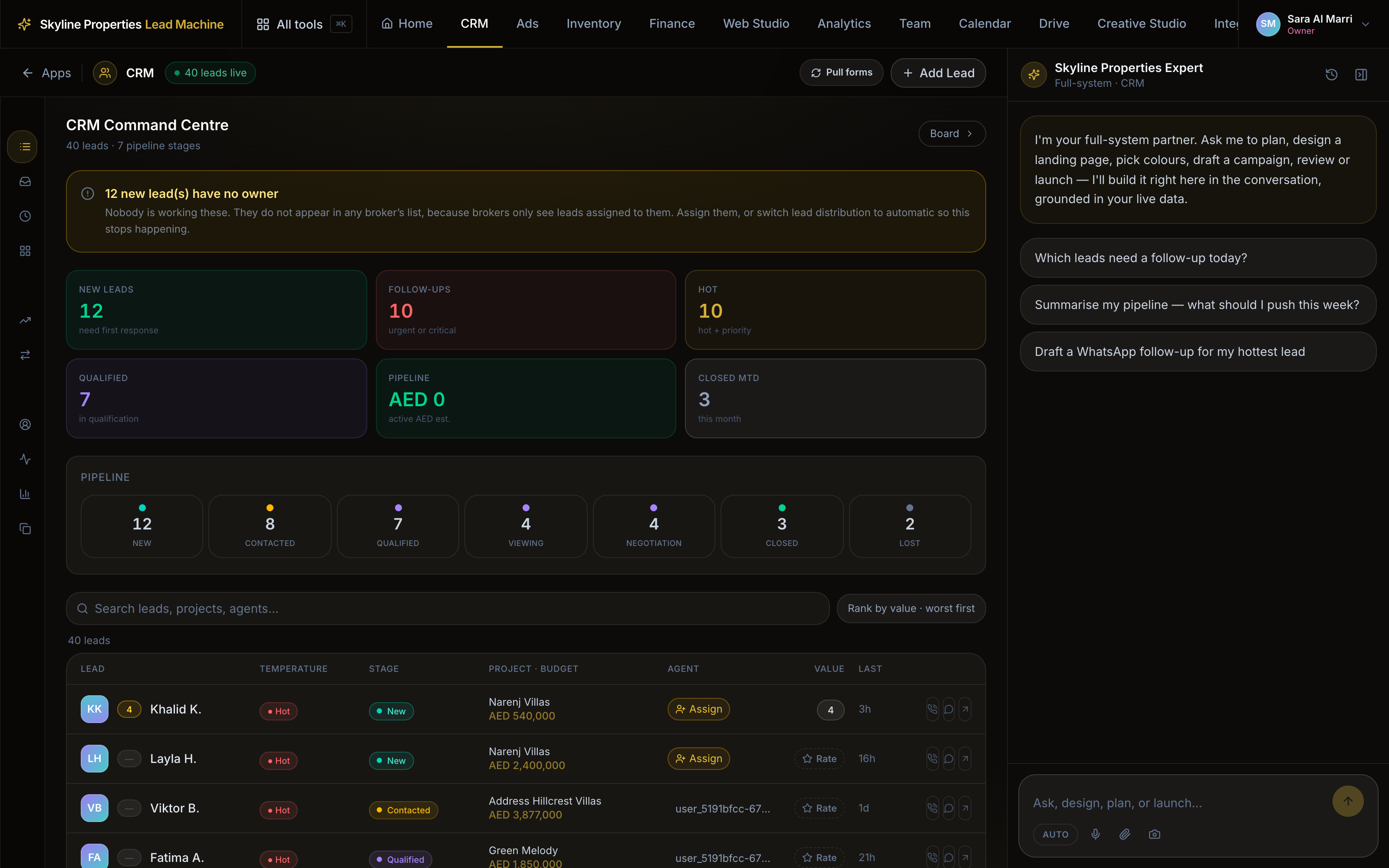
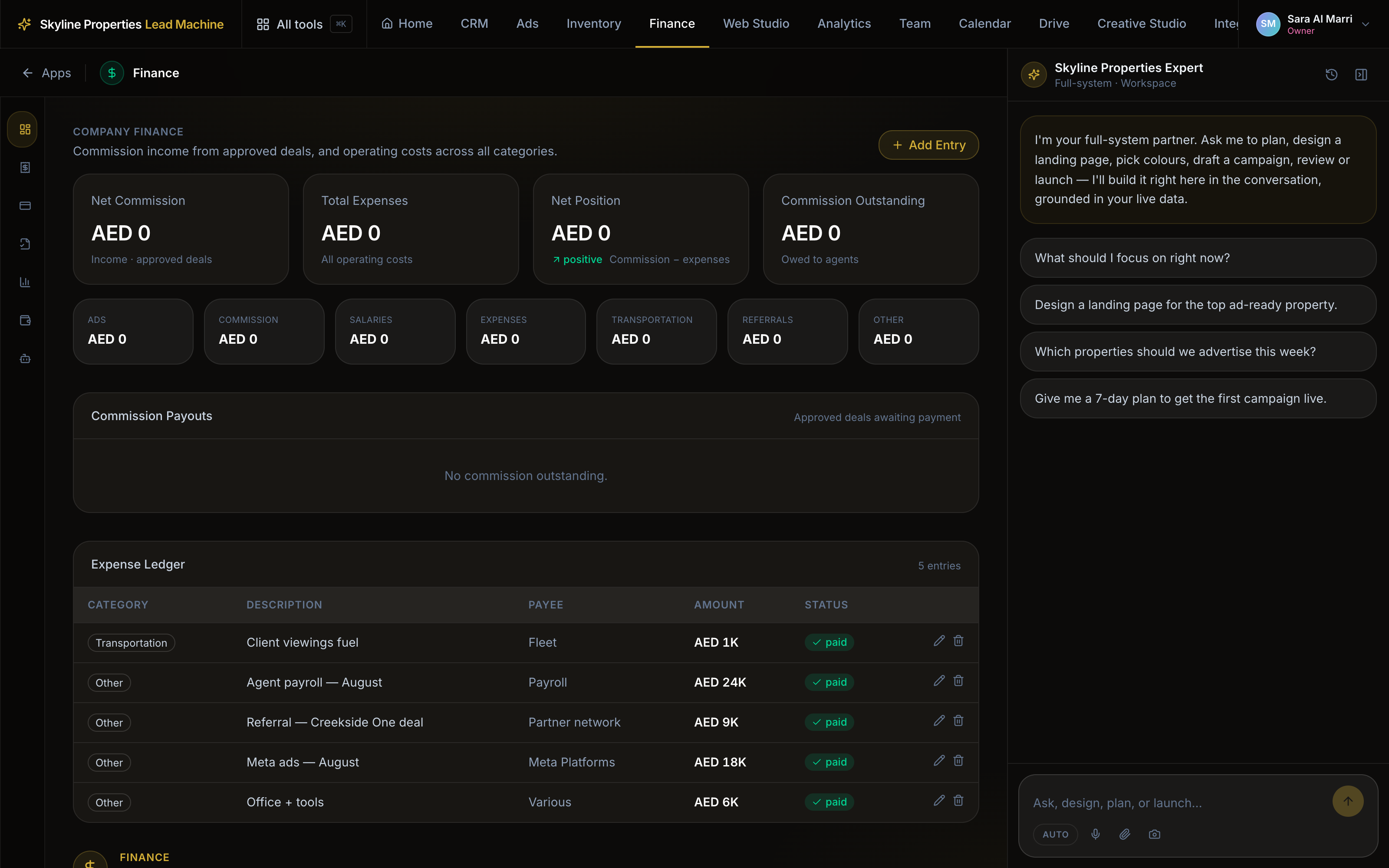
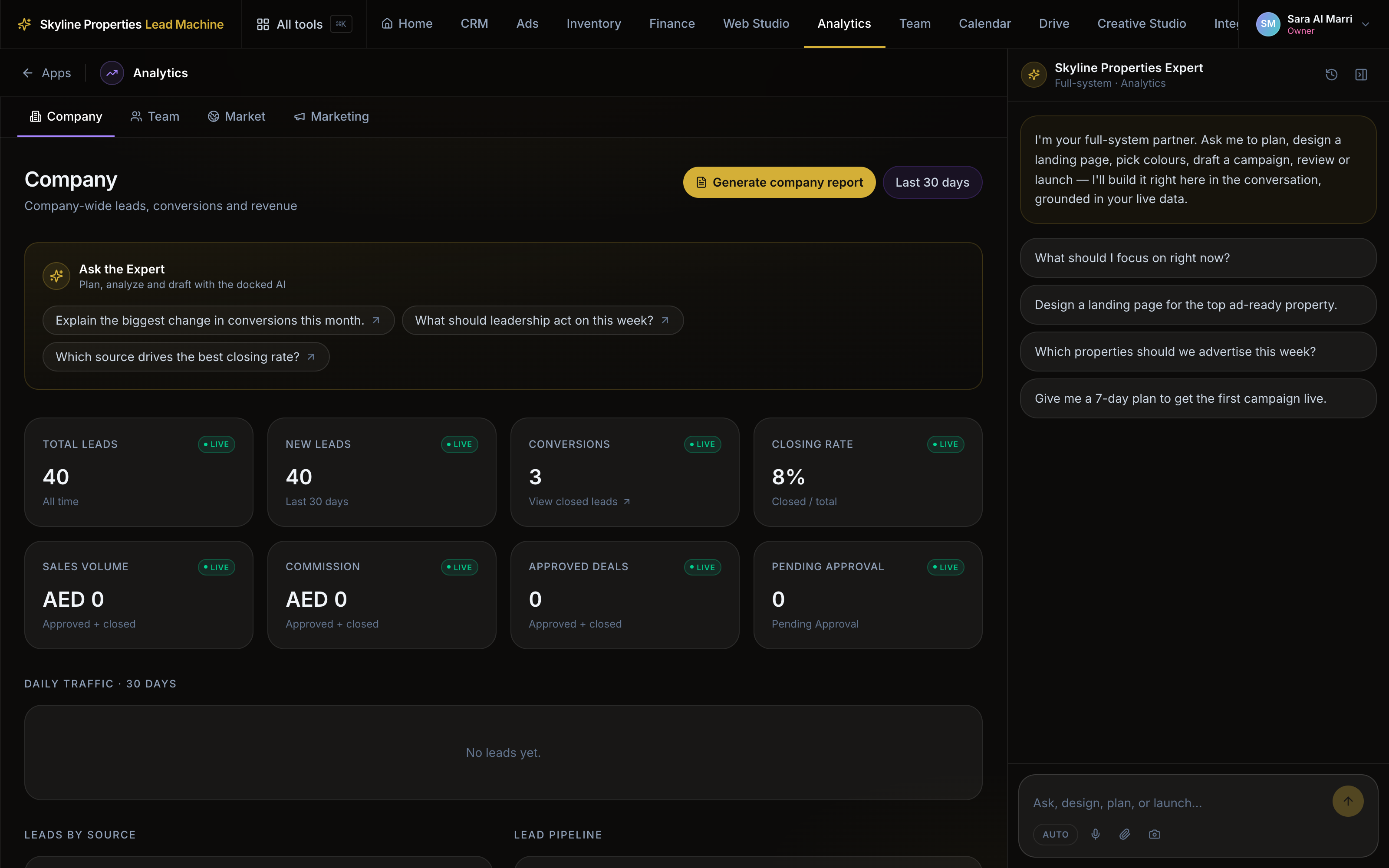
Leads, conversions, closing rate and commission, by company, team, market and marketing.
Meta, Google and the rest. Ads stay off until the critical ones connect.
See what has to connect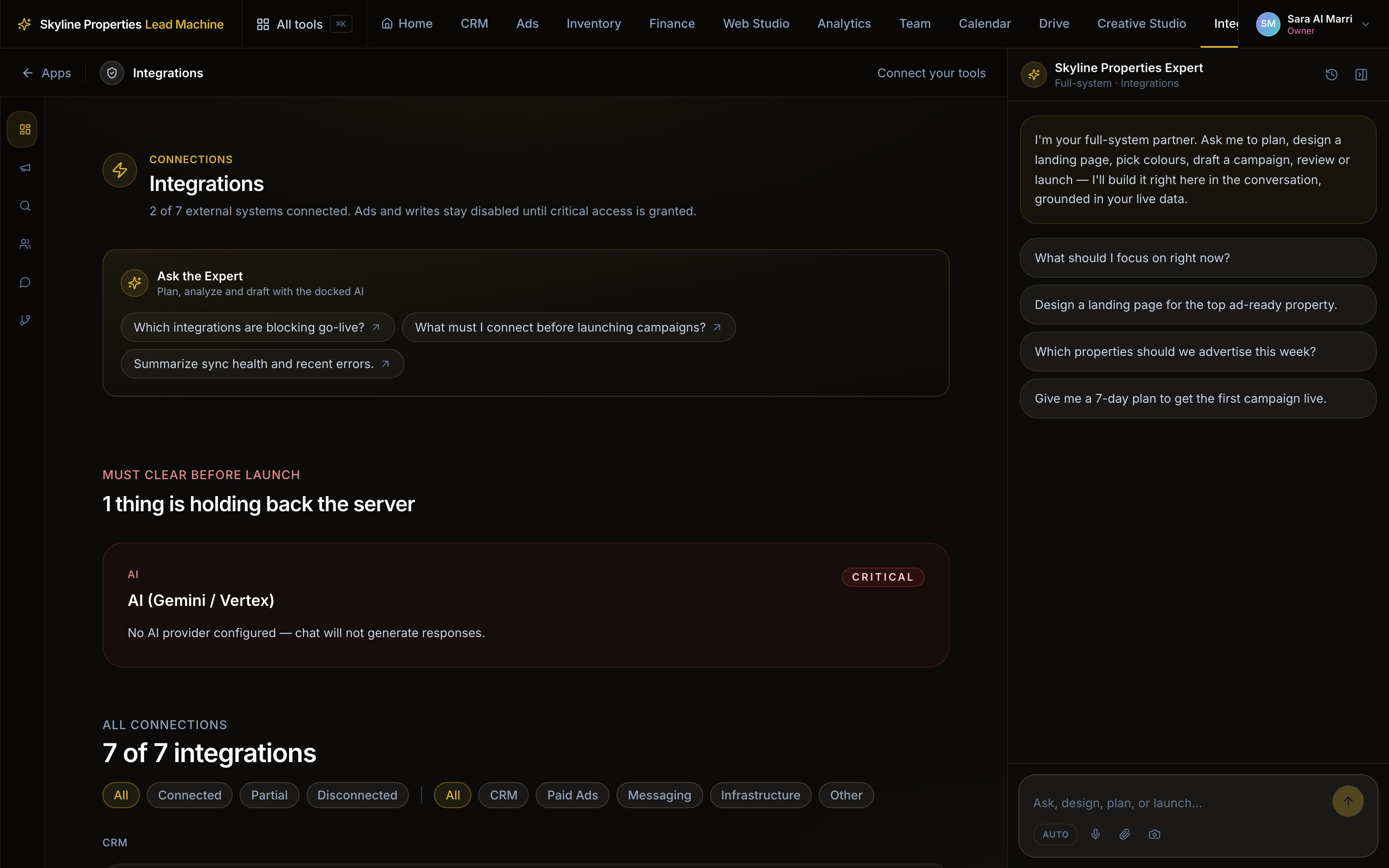
A Dubai Marina search can land on your site.
Track record, flagship launches and delivery history for every developer you sell.
On the public pages and inside the desk.
Change a price once and it moves through the page, the ad and the CRM. Closed deals teach the next campaign who to buy.
Each listing is scored before it can carry an ad budget.
Ad readiness out of 100 · ad-ready starts at 70
Each project gets its own page, with the price and the plan on it.
A page below the gate cannot carry a campaign
Meta and Google campaigns built from the listing, with a daily cap, started by you.
A daily cap, and a person switches it live
The lead lands in the CRM with an agent’s name and a call-back time.
An owner, a language tag, a follow-up time
Your agents rate each lead; the ratings tell the ads what to buy next.
Rated 6+ becomes a sellable audience
Next month’s audience is built from the people who bought, not a guess.
Language and behaviour
It carries your name in public, so we do the setup together.
Projects, units, prices, payment plans, photos — before any design talk.
Your brand, your domain. Project pages, area profiles, developer profiles.
Roles for agents, managers, marketing and directors. Every lead gets an owner.
Traffic you pay for lands on a page you own, and the lead comes back attributed.
Publishing needs a manager’s approval.
No payment plan on file, none on the page.
Missing or unpublished, the launch stops before the money.
Your domain, your pages. Traffic you buy lands on property you own.
Buyers, enquiries and photos sit in your own schema.
One catalogue feeds the site, the ads and the CRM. Change a price once.
A page per project, built from your own stock, with the form wired into the CRM.
Runs on credit, spent only when the system works. See what it costs